Results Snapshot
Customer, sales, project, and service records can remain connected throughout the relationship
Reusable estimating information reduces repeated setup between similar jobs
Project status, phases, budget, cost, and timeline can be reviewed during execution
Work Orders and Dispatch translate office planning into trackable field assignments
Technician and vehicle assignments remain connected to field activity
Employee time can continue into Payroll and Job Cost
Billing, receivables, payables, ledger activity, and financial reporting can continue from operational records
Customer Profile
The customer is a project and field-service organization managing a combination of customer opportunities, projects, site work, and follow-up service. Work may begin as a new sales opportunity or come from an existing customer requiring additional project or field activity, creating multiple Estimates, Projects, and Work Orders over time.
The operation depends on coordination between sales, estimating, project management, field personnel, and finance. With multiple jobs active at the same time, managers need to understand more than the number of open tasks. They need visibility into customer status, pricing, project progress, field assignments, labor, fleet resources, and how completed work continues into billing and financial management.
Sales & CRM
Keep Customer Relationships Connected to Downstream Work
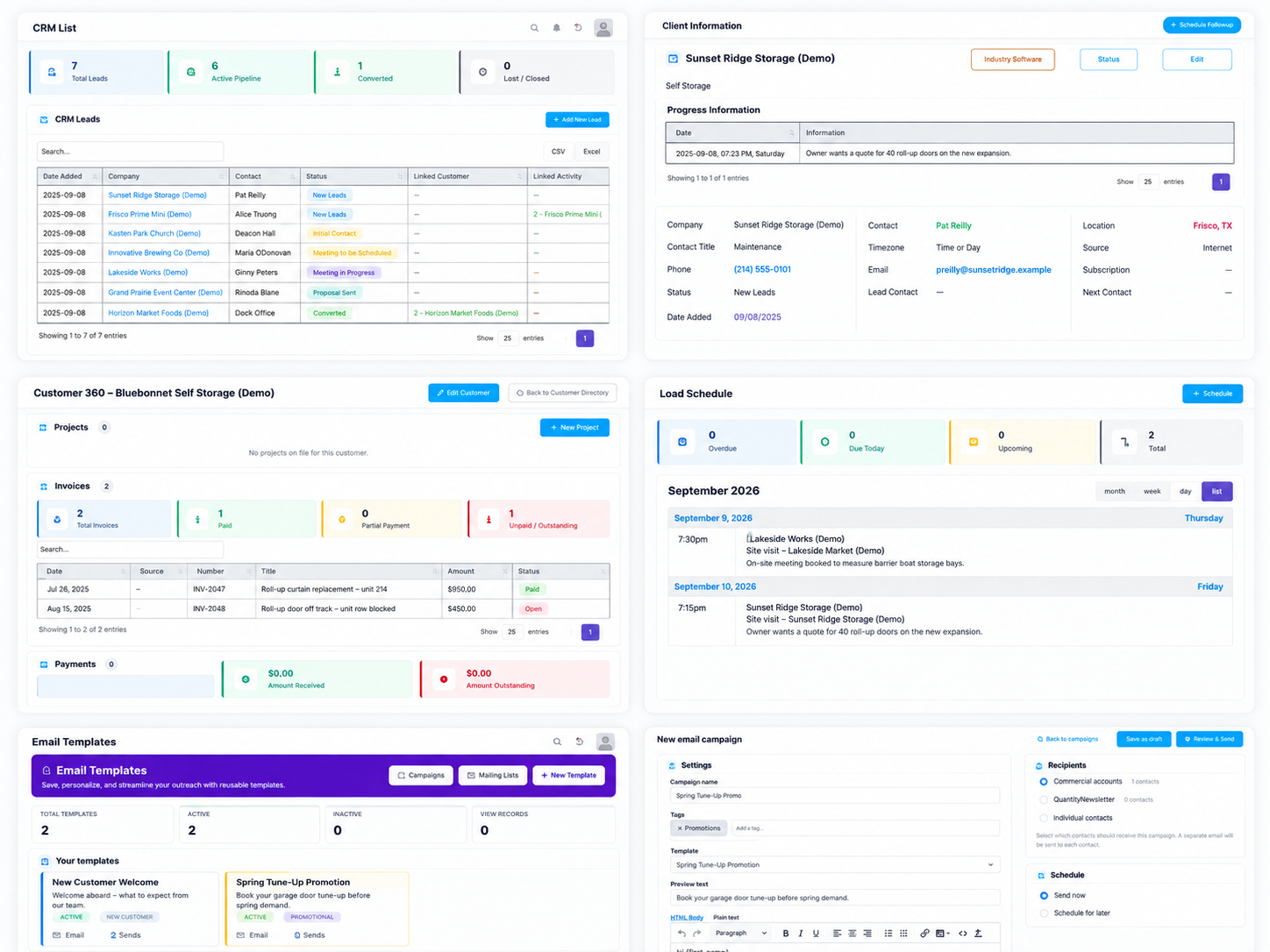
Customer relationships may include inquiries, meetings, estimates, project delivery, and follow-up service. CRM Pipeline keeps lead status, progress, and follow-up attached to the same opportunity, while Customer Directory and Customer 360 establish the longer-term customer record.
Related Estimates, Projects, Invoices, Payments, Work Orders, and Service Locations can remain visible around the customer. Events & Appointments supports meetings and follow-up activity, while Client Overview helps the team identify opportunities that still require action.
Manage sales stage, progress, and follow-up
Maintain long-term customer records
Review complete customer history
Connect Estimates, Projects, and Work Orders
Schedule meetings and follow-up activity
Review leads by pipeline stage
Reuse campaigns, mailing lists, and email templates
Estimates & Proposals
Turn Approved Estimates into Executable Scope
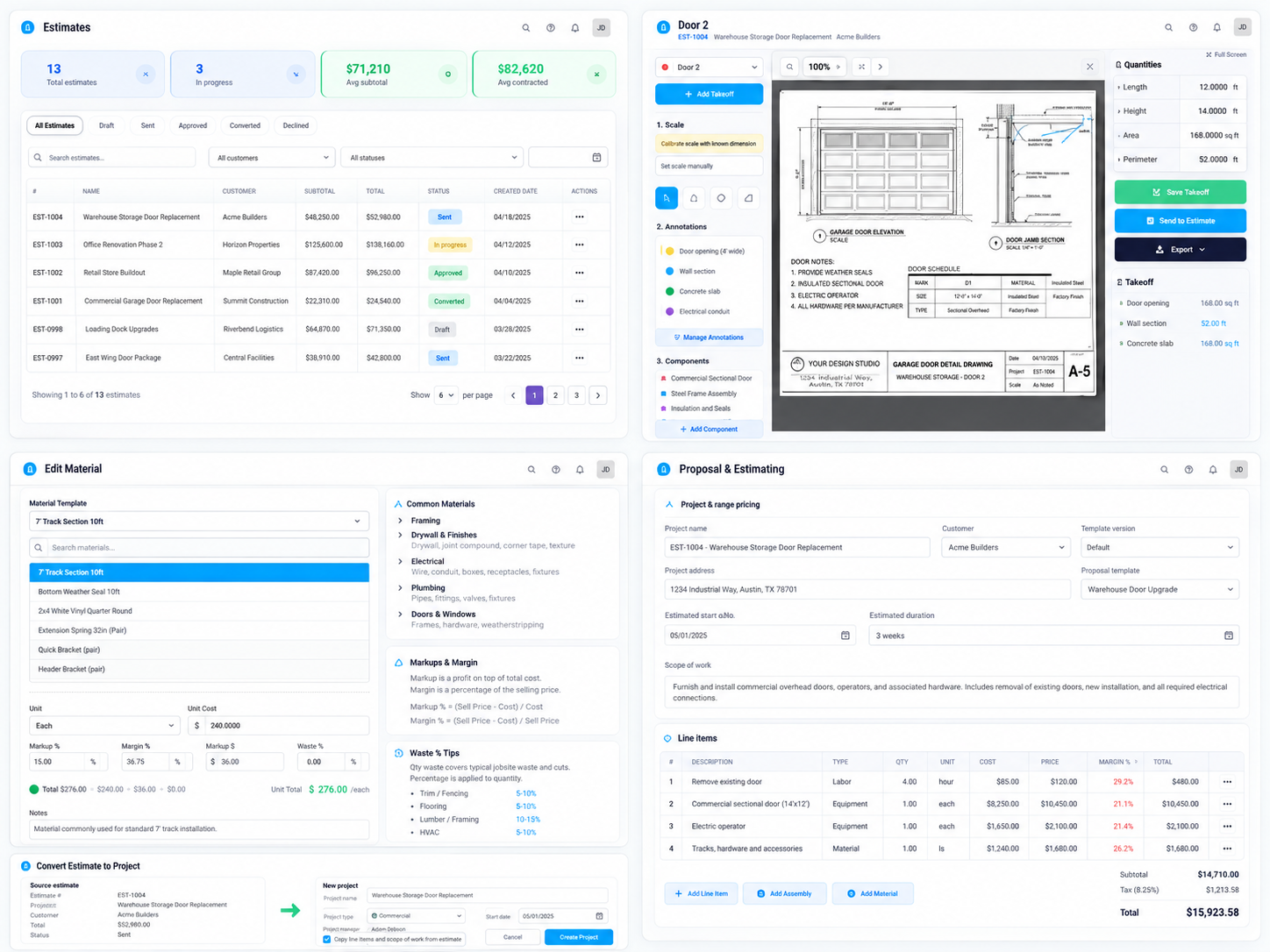
An estimate needs to do more than produce a customer-facing price. It should define the scope that project and field teams will eventually execute. Sections and Line Items organize different parts of the work, while reusable material, labor, equipment, and other cost information provides a consistent pricing foundation.
Once the estimate is reviewed, the team can check markup, margin, and total value before sending it to the customer. After approval, the same estimate can continue into a Project or Work Order, allowing the agreed scope and pricing structure to support actual execution.
Organize scope with Sections and Line Items
Reuse standard cost and pricing information
Associate Cost Codes with estimate items
Review markup, margin, and total value
Apply Bulk Markup across multiple line items
Send formal estimates for customer review
Convert approved scope into Projects or Work Orders
Project Management
Keep Project Status, Phases, and Cost Visible During Execution
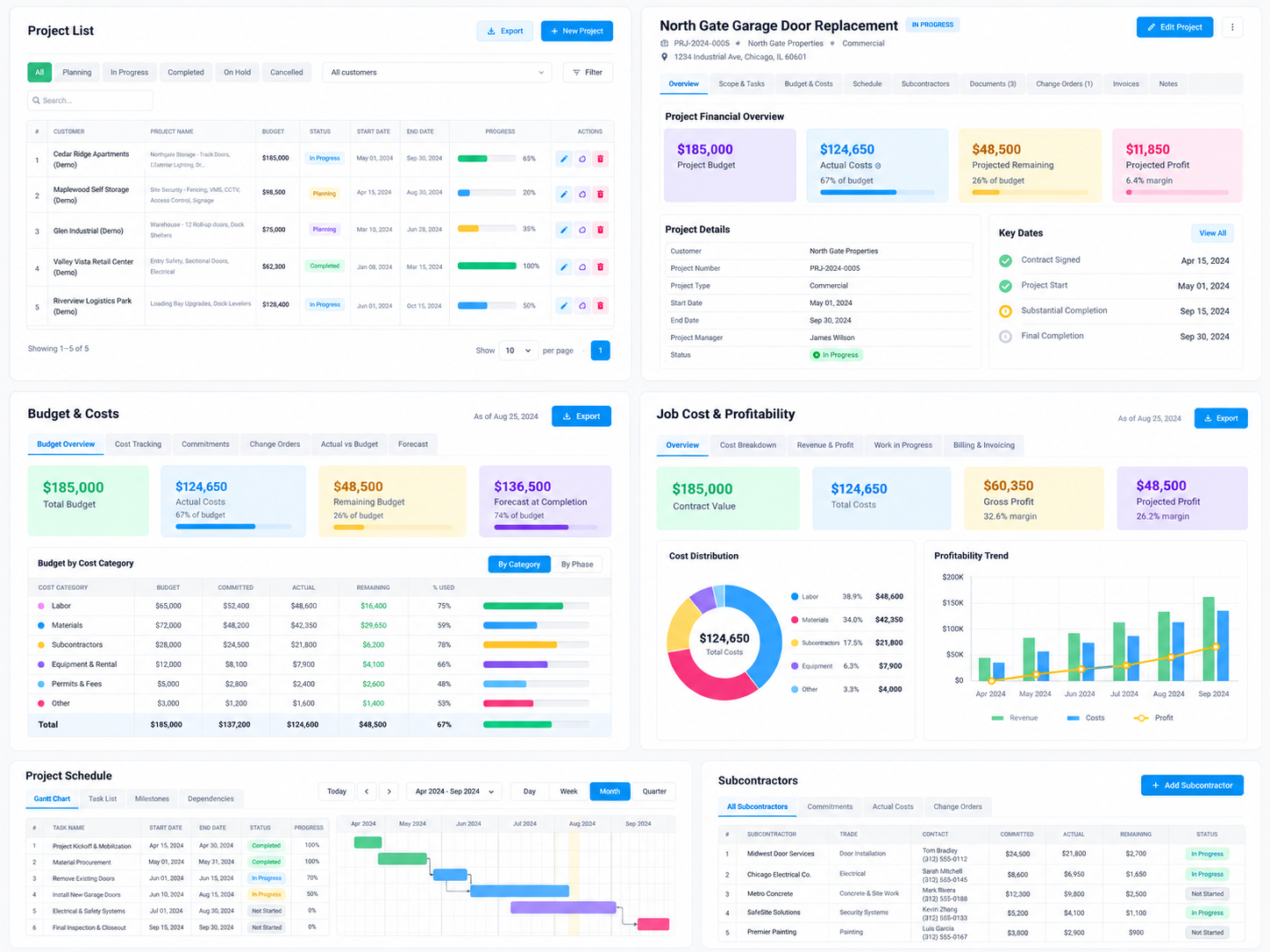
Once a project becomes active, managers need visibility into status, phase progress, and financial performance. Project Detail provides a central operating view, while Project Phases break the work into trackable stages that can be started, completed, and reviewed independently.
Managers can open phase details or Job Cost directly and use Profit, Gantt Chart, WIP Report, and Allocate Overhead for deeper control. Work Orders can also be created or accessed from project phases, keeping office planning and field execution connected.
Maintain project status in one operating view
Track execution by project phase
Review Job Cost
Monitor project profit
Use Gantt views for schedule control
Review work-in-progress reporting
Allocate overhead to projects
Connect phases with field Work Orders
Evaluate subcontractor performance
Field Services
Turn Office Plans into Clear Field Assignments
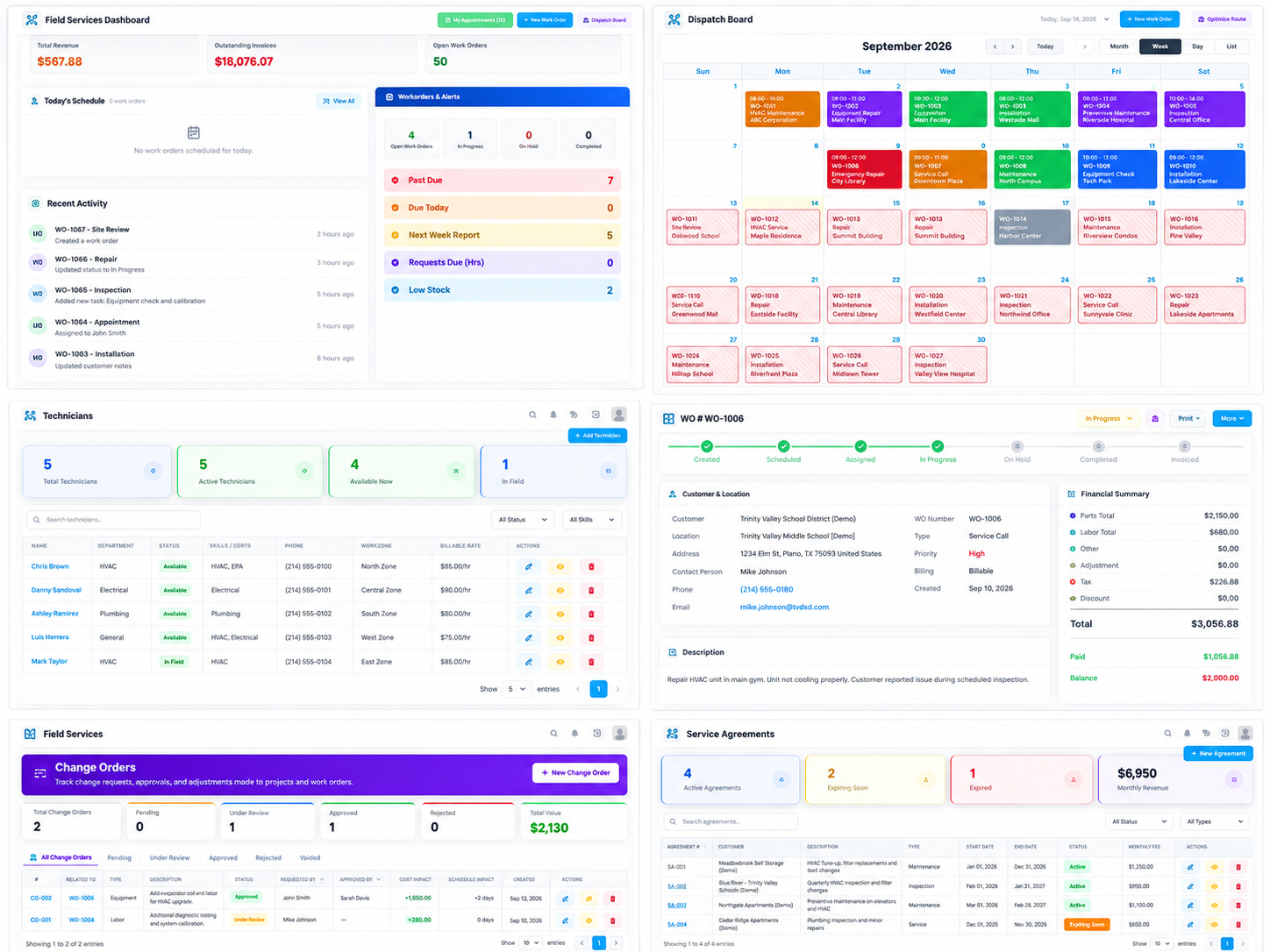
Once work reaches the field, the key questions become who is going, when the work will happen, what needs to be completed, and what happened on site. Dispatch Board provides Calendar, Today’s Board, and Crew Grid views for scheduling, while Technician records support field-resource planning.
Work Orders become the bridge between office planning and field execution. They retain status, field activity, costs, Daily Field Reports, Change Orders, and supporting records. Daily Field Reports then capture crew hours, conditions, safety, delays, next-day plans, and site photographs for review.
Review field schedules through multiple dispatch views
Identify technician availability and staffing gaps
Create clear field assignments through Work Orders
Update task progress using Work Order status actions
Record daily field activity
Capture crew and labor hours
Document safety conditions and delays
Attach site photographs
Keep change activity connected to field work
Produce customer-facing field reports
Fleet & Equipment
Keep Vehicles and Equipment Connected to Active Work
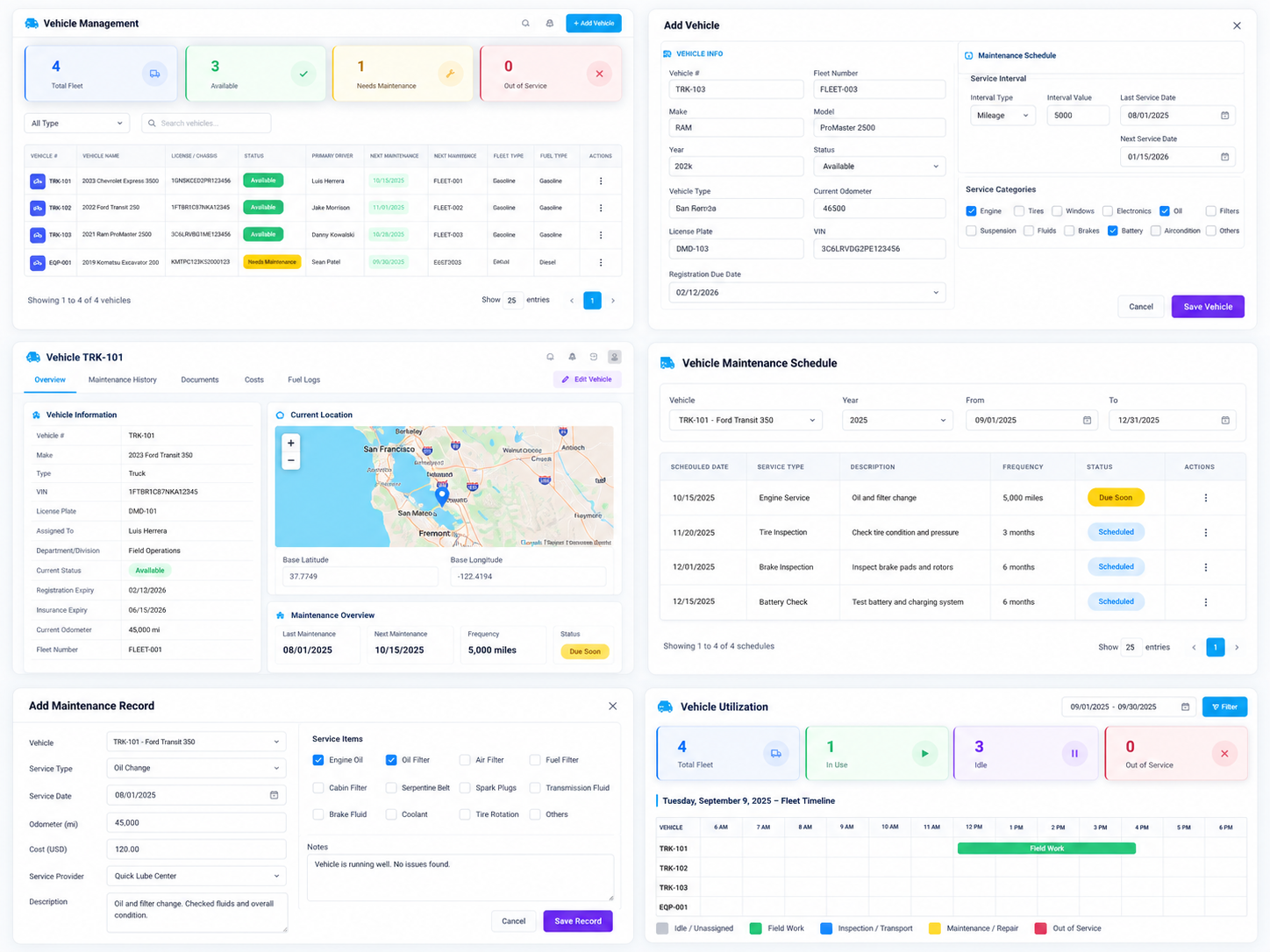
Vehicles and equipment are critical resources for field delivery. Fleet & Equipment keeps core asset information, operating status, maintenance history, and related records in one place so the team can understand which resources are available for upcoming work.
When vehicles or equipment are associated with field assignments, resource planning becomes part of execution rather than a separate administrative task. Maintenance information also gives the team better context when scheduling work that depends on specific assets.
Maintain vehicle and equipment records
Review asset availability
Preserve maintenance history
Plan upcoming maintenance
Connect fleet resources to field assignments
Review utilization
Coordinate scheduling with resource status
Time & Payroll
Connect Field Time to Payroll and Job Cost
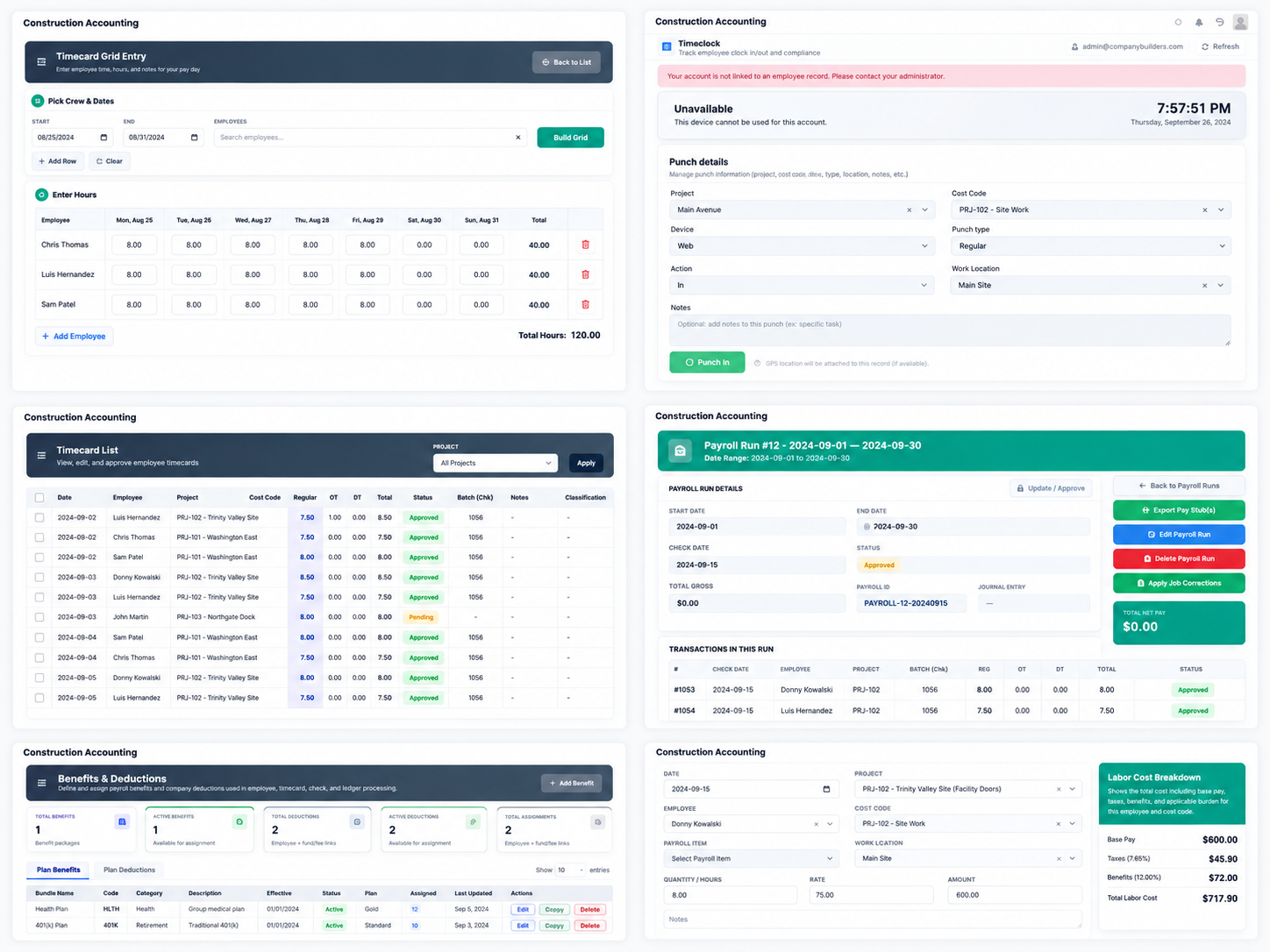
Recorded hours become more valuable when they retain the context of the work that produced them. Employee records maintain department, status, hourly rate, overtime multiplier, pay frequency, union information, and cost-code settings that support time and payroll processing.
Employee time can be captured through Time Clock or Timecards and associated with active work. Grid Entry supports higher-volume time processing, and reviewed hours can continue into Payroll Runs. Labor therefore supports both employee payment and project cost visibility.
Maintain employee pay and work settings
Record field time
Connect hours to projects and work context
Review regular and overtime hours
Enter time in bulk
Build Payroll Runs
Support project Job Cost
Continue payroll activity into accounting
Accounting & Finance
Carry Completed Work into Financial Management
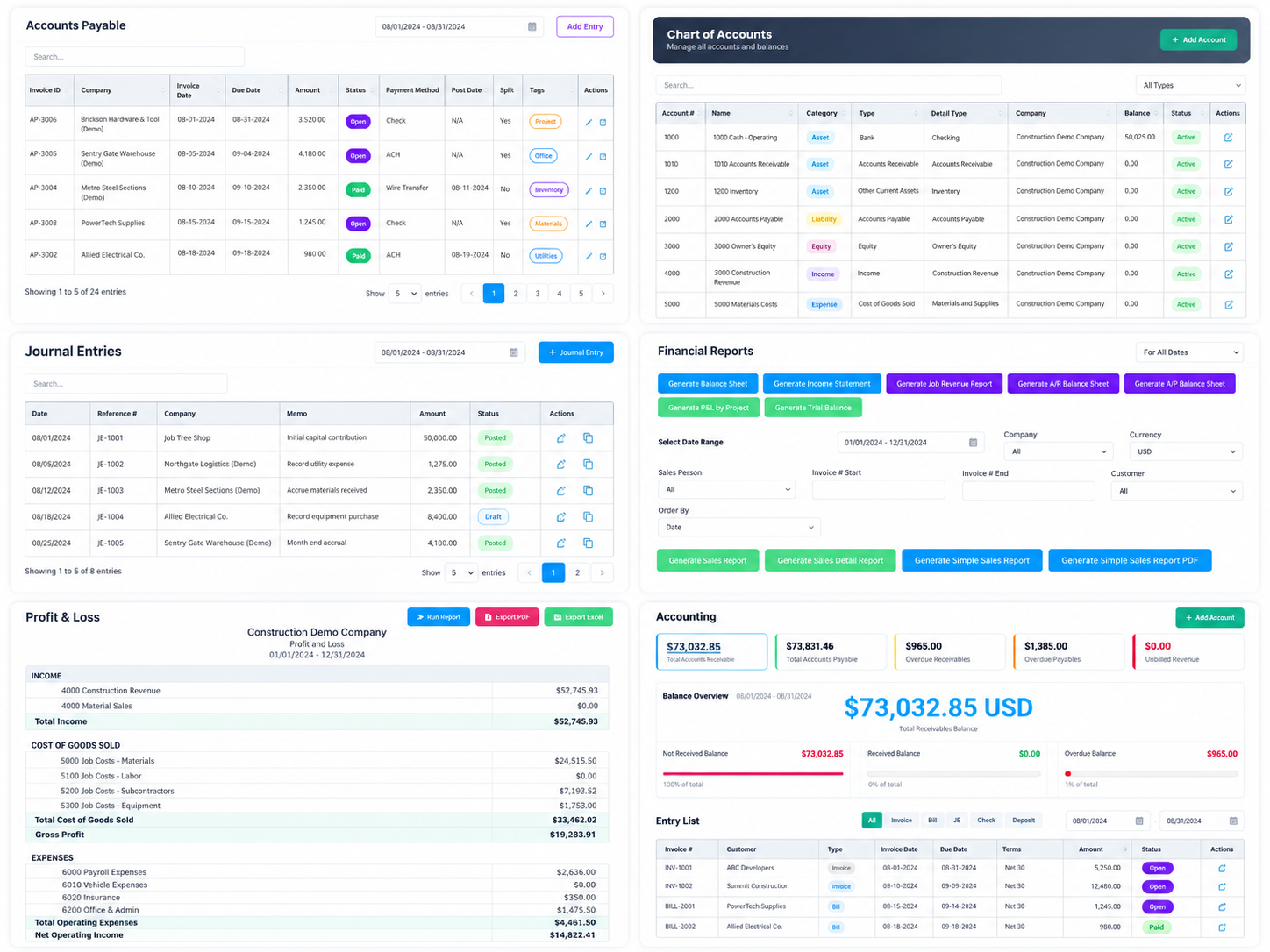
Once project or field work is complete, the business process continues into invoicing, payment, vendor obligations, and financial reporting. Accounts Receivable manages customer invoices and collections, while Accounts Payable handles vendor bills and outgoing payments.
Chart of Accounts, Account Reports, and General Ledger provide deeper transaction visibility, while Profit & Loss and other financial reports organize operational activity into financial results. Finance can therefore continue from the work already recorded by sales, project, and field teams.
Manage customer invoices and receivables
Record customer payments
Manage vendor obligations
Process outgoing payments
Maintain the Chart of Accounts
Review account-level activity
Trace ledger transactions
Review Profit & Loss
Produce management financial reports
Implementation and Adoption
The workflow follows the responsibilities teams already own. Sales manages customers and opportunities, estimating defines scope and pricing, project management controls execution, field teams complete Work Orders, and finance manages payroll, billing, and accounting.
The difference is that these responsibilities operate on connected business records. Information created earlier in the process remains available to the next team, reducing the need to reconstruct the job at every handoff.
Operational Outcomes
The improvement comes from connecting multiple parts of the operation rather than relying on a single feature. Customer, Estimate, Project, Work Order, Technician, Vehicle, Timecard, and Financial Records together create a more complete operating history.
Key outcomes include:
Sales history remains connected to downstream project activity
Approved estimates can continue directly into execution
Project managers can review phase, cost, profit, and schedule together
Work Orders provide clearer field context
Technician and vehicle assignments align more closely with active work
Daily Field Reports improve field-to-office visibility
Employee time continues into Payroll and Job Cost
Finance can follow operational activity into billing and reporting
From Sales Opportunity to Financial Result
Project and field work will continue to change as customers, schedules, resources, and actual costs change. A connected workflow does not eliminate that variability, but it gives each change a clearer place in the business record.
From CRM and Estimating through Projects, Work Orders, Field Reports, Employee Time, and Accounting, information can move forward with the work itself. The team can follow how an opportunity became an estimate, how the estimate became field execution, and how that execution ultimately became cost, invoice, payment, and financial results.