Project Profit Control: Real Time Budget vs Actual Tracking

Summary
×Project margins don’t crash, they erode. A little extra on materials here, unplanned labor hours there, and suddenly a profitable job barely breaks even. By the time monthly reports arrive, the damage is done.
Real time budget tracking changes this. It watches every dollar as it spends, compares it to what was planned, and flags trouble before it compounds. Projects stay on track. Margins stay intact.
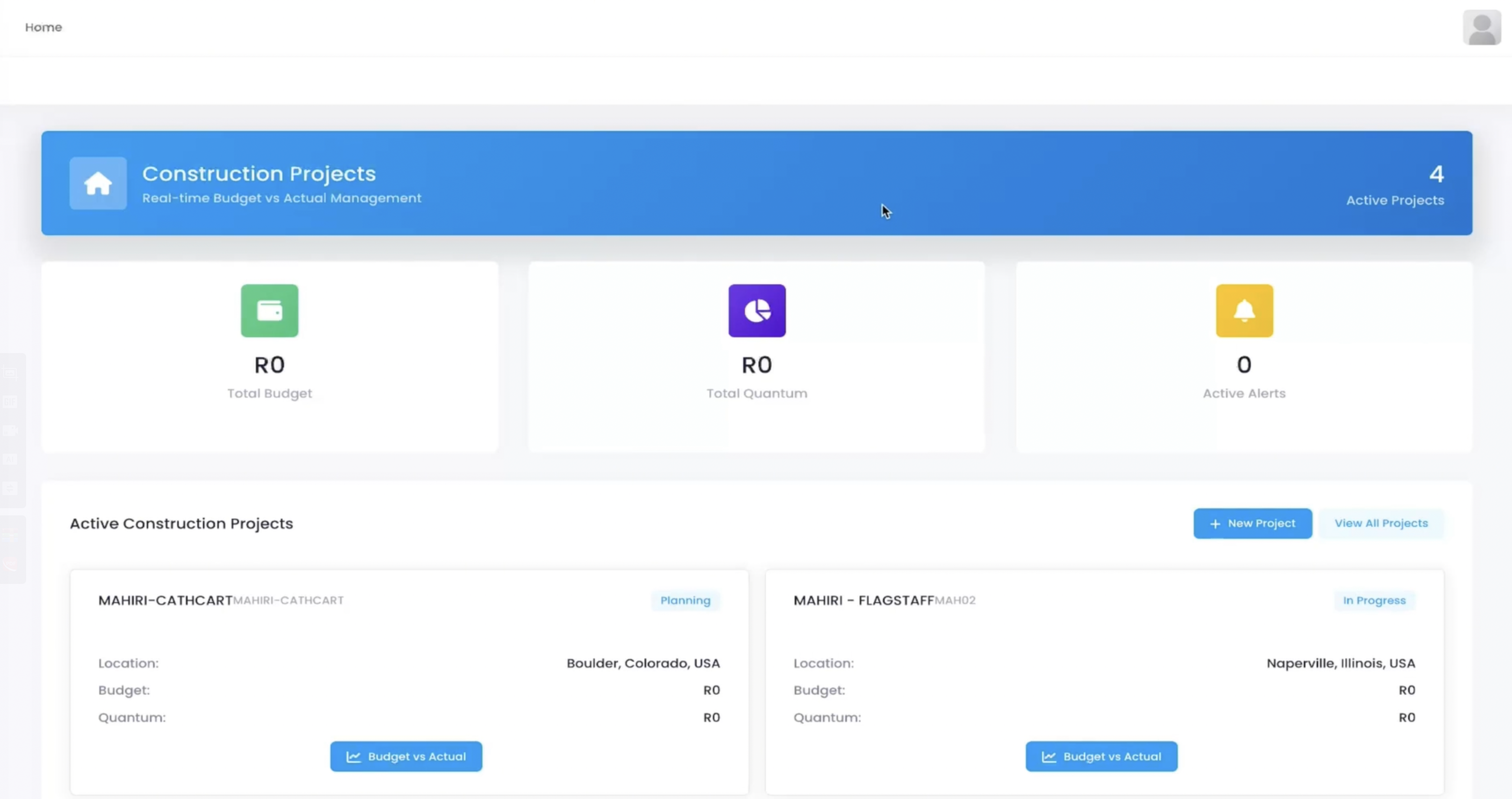
Project Dashboard with Status and Location
In the "Active Construction Projects" list, all active projects are displayed as cards, each showing current status (Planning / In Progress), location, budget, and quantum. Click the "Budget vs Actual" button to dive into detailed comparisons and quickly assess project health.
Project Names: MAHIRI-CATHCART (Planning), MAHIRI-FLAGSTAFFMAHO2 (In Progress), etc.
Locations: Various U.S. cities
Budget & Quantum: Real time updates
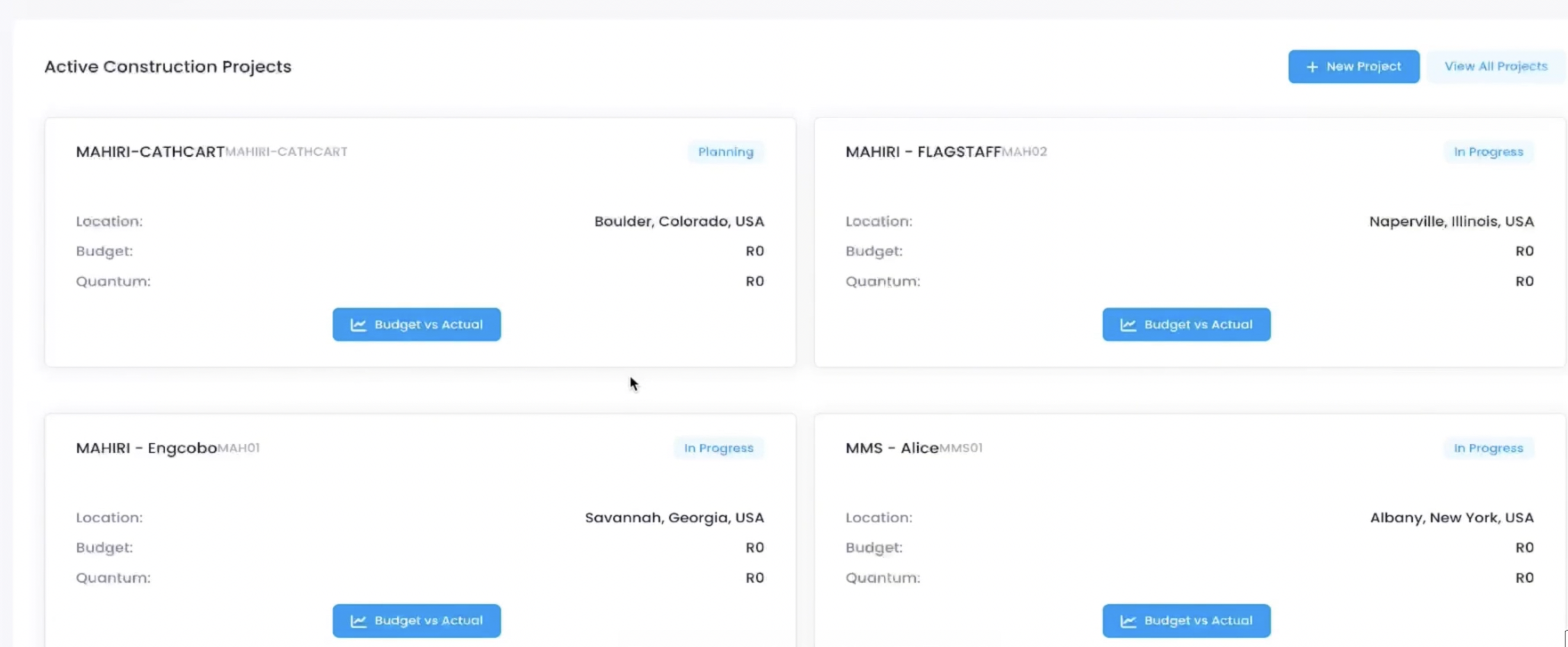
Real Time Budget vs. Actual Comparison
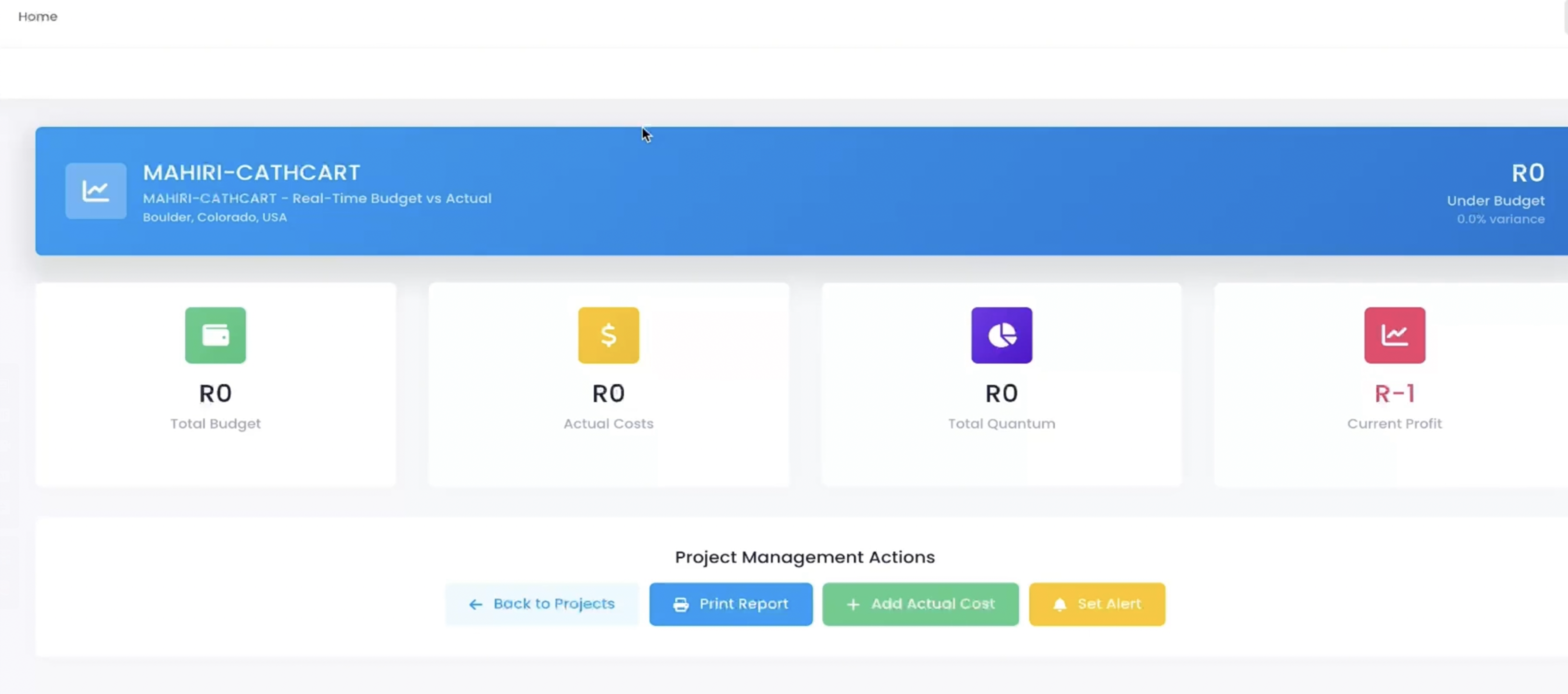
Entering a project detail page (e.g., MAHIRI-CATHCART), the system provides a "Real Time Budget vs Actual" dashboard displaying:
Total Budget
Actual Costs
Total Quantum
Current Profit
The page supports one click actions: Print Report, Add Actual Cost, and Set Alert, allowing project managers to record expenses and monitor deviations instantly.
Granular Budget Management with Phased Cost Tracking
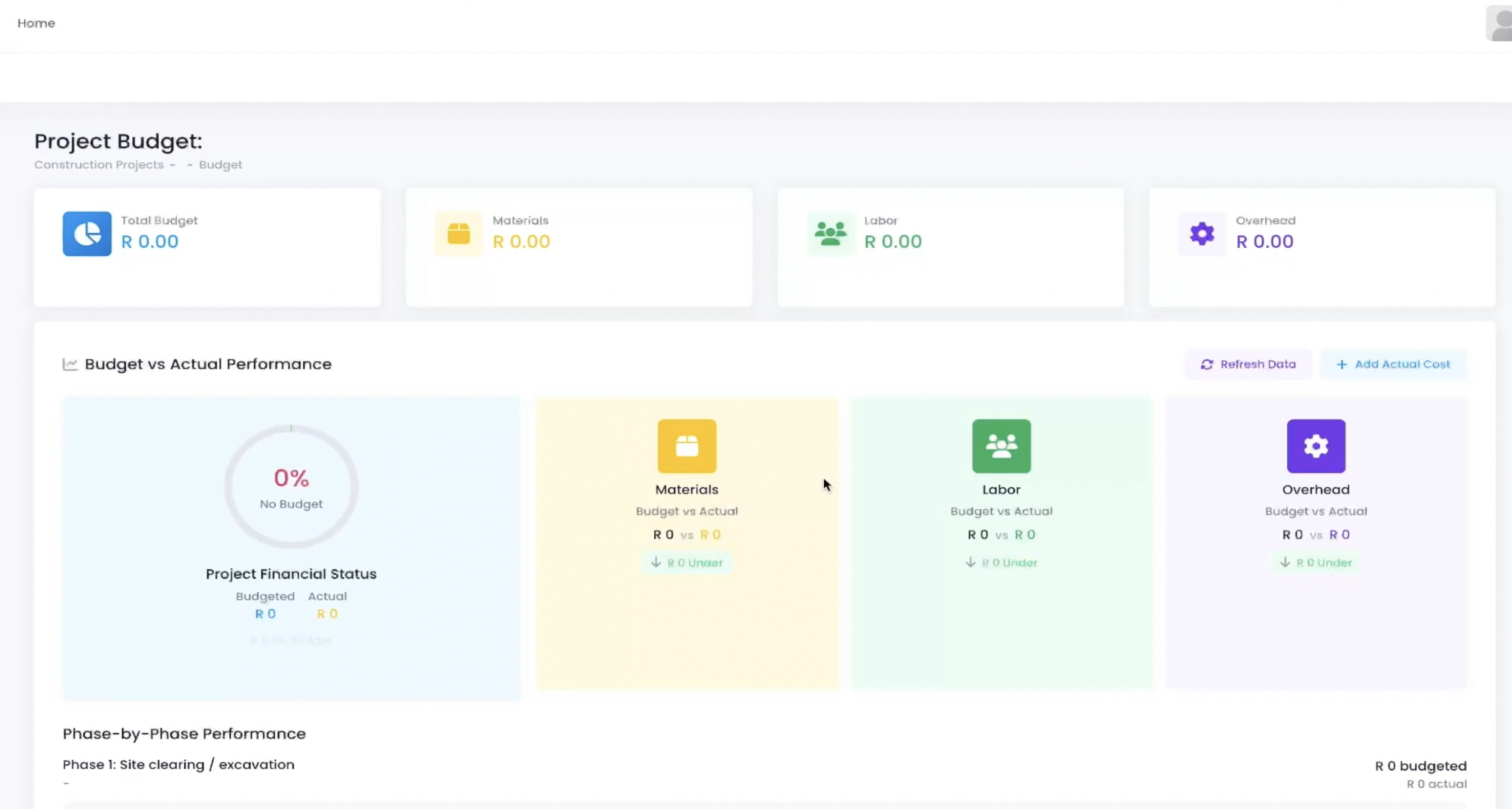
The system allows budget breakdowns by materials, labor, and overhead, and compares them with actual costs. In the "Budget vs Actual Performance" module, you can see the execution status of each phase:
Phase 1: Site clearing / excavation with budget vs. actual for materials, labor, and overhead
Each phase supports Refresh Data and Add Actual Cost
Managers can analyze overspending reasons and adjust future plans accordingly.
Project List and Quick Actions for Efficiency
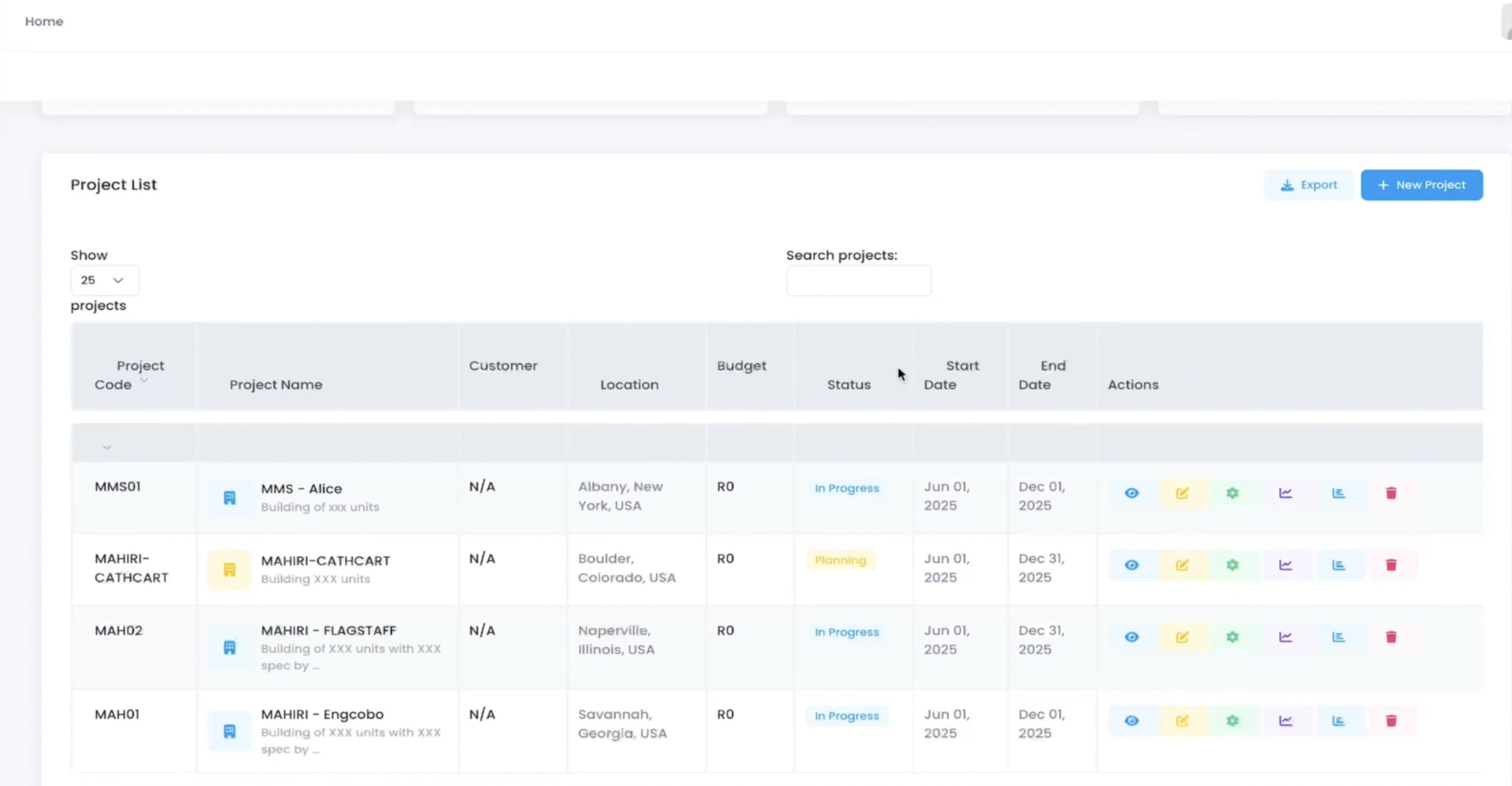
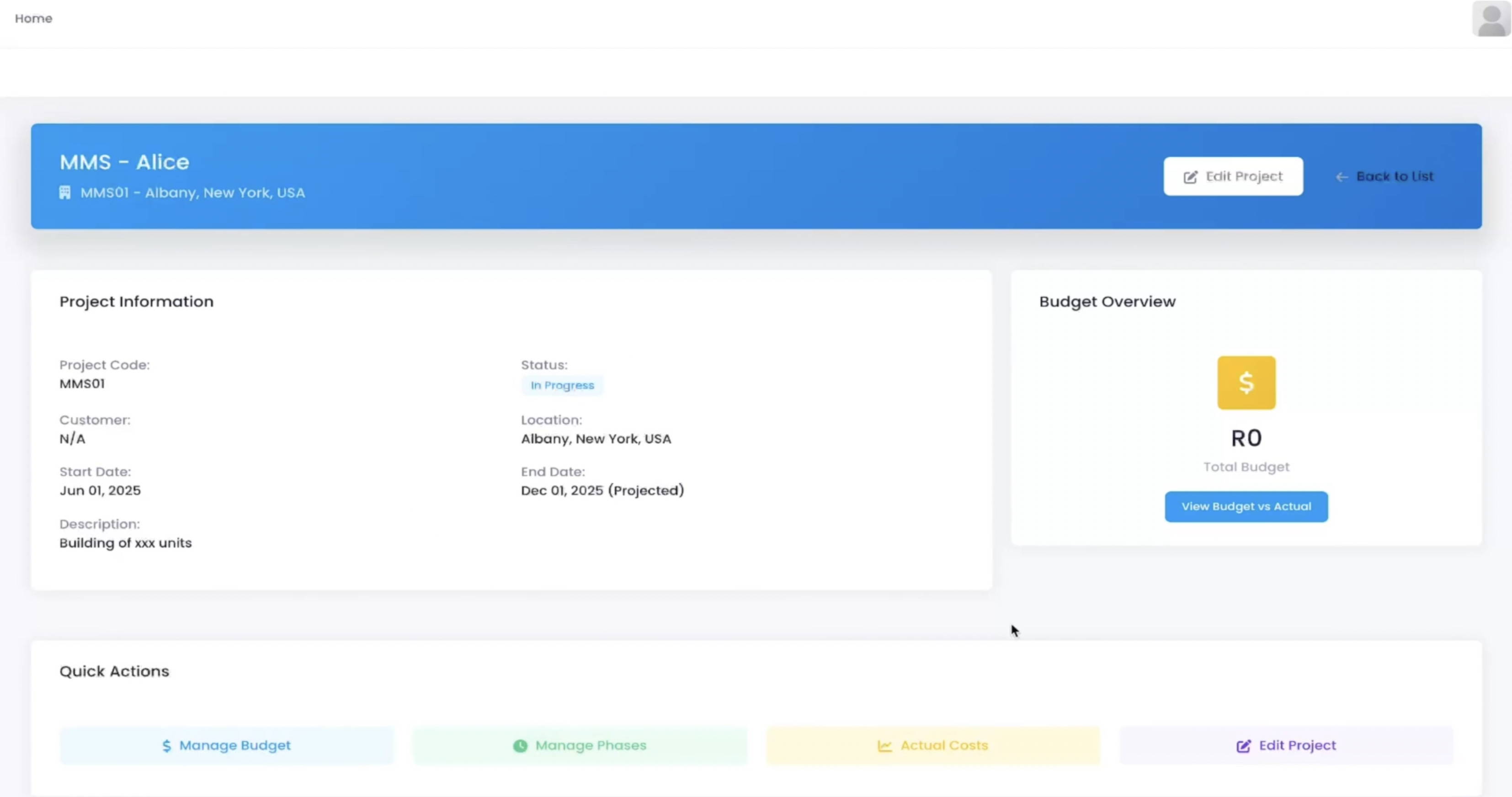
The system provides a complete project list view with search, filter, and export capabilities, and direct access to project details. On the project detail page, users can quickly perform actions like Manage Budget, Manage Phases, Enter Actual Costs, and Edit Project, all within reach.
Conclusion: Protect Margins, Project by Project
Managing multiple construction projects means juggling budgets, timelines, and unpredictable costs. This system simplifies the chaos. It provides a centralized dashboard where every project’s financial health is visible instantly. With one click, you see total budget, actual costs, current profit, and phase level performance. Alerts flag potential issues early. The result is fewer surprises, better decisions, and healthier margins across your entire portfolio.